The hours and week ahead
Follow the temperature line, see cloud coverage and spot when precipitation is expected.
See the hours ahead. Find a good moment to get outside. Keep your forecast close, wherever the day takes you.
Explore RainlyTwo versions. One forecast: iOS for iPhone and iPad, and macOS for Mac.
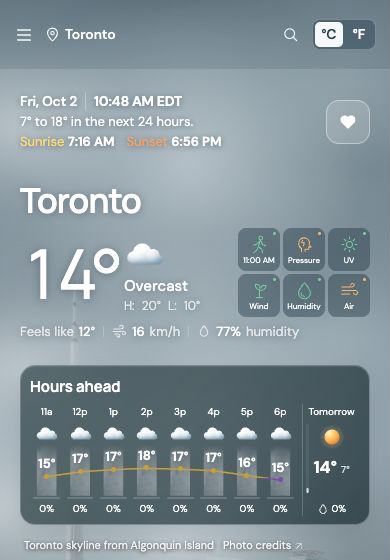
Temperature, cloud cover and rain timing come together in a clear picture of what’s ahead.
Follow the temperature line, see cloud coverage and spot when precipitation is expected.
Keep your forecast on your Home Screen, Lock Screen or Mac desktop, with the weather details you use most.
Connect the calendars you choose and Rainly finds the best times to get outside around your meetings, using both the forecast and your availability.
Keep the forecast close—and make your widgets your own.
Choose which calendars Rainly can read. Get outdoor suggestions that fit around your day, and see your next one or two meetings in the Hours ahead widget.
Choose up to two favourite teams from the NFL, NHL, NBA or MLB. Their logos appear in your widgets on game days, with today’s game time in Hours ahead and game-day logos across the weekly forecast.
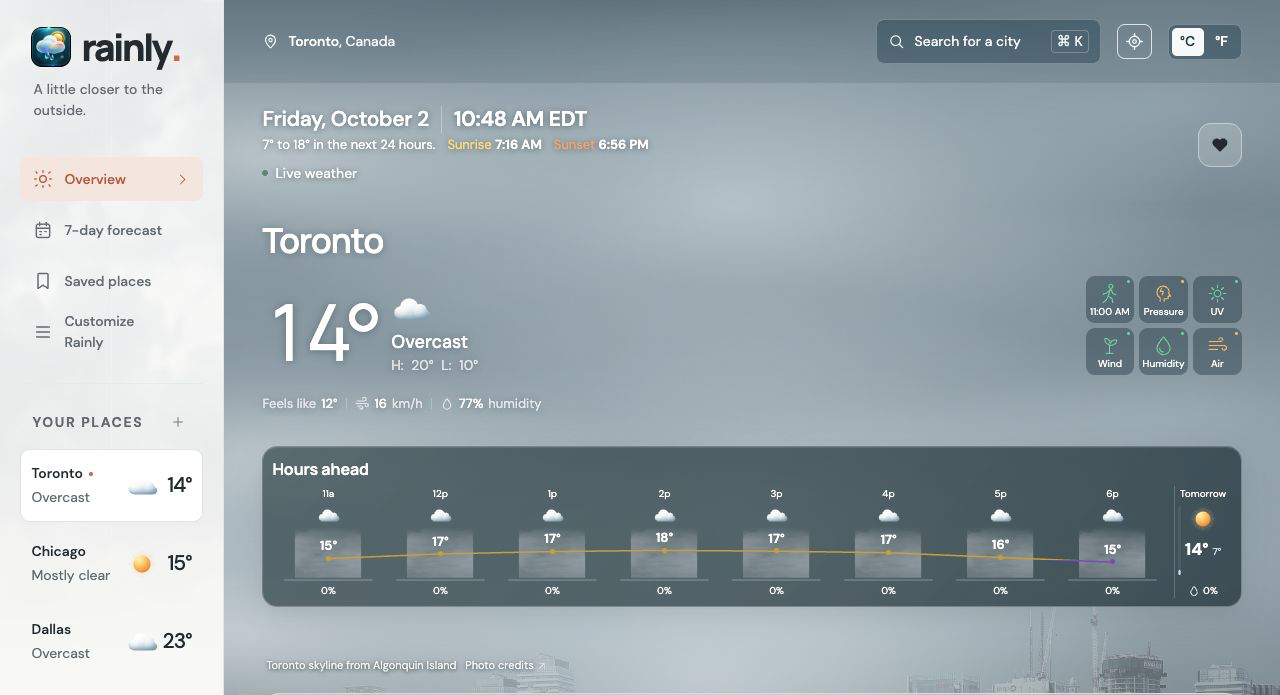
Screenshots show a development preview. Forecasts vary by place, time and provider.
Steelers or Leafs? Keep both close. Game-day logos sit alongside your weather, with a white backdrop to make every team easy to spot.
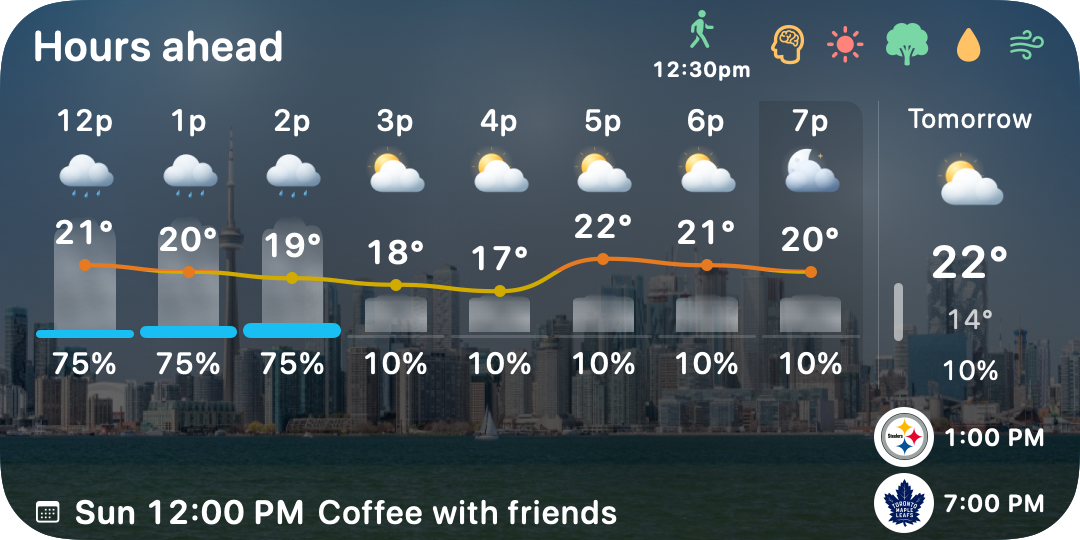
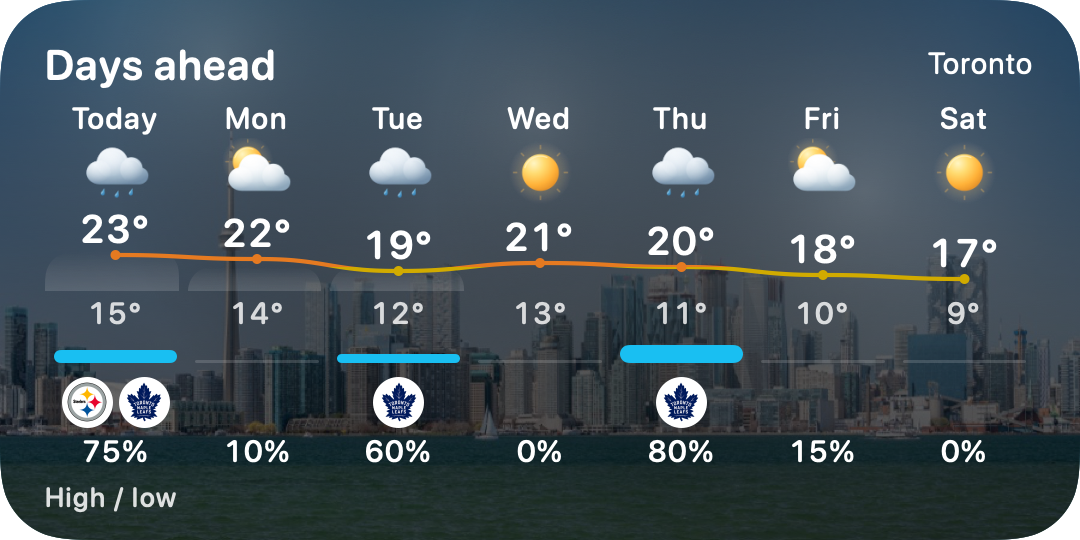
Rendered from Rainly’s native widget views. Weather, meetings and game times are illustrative examples, not the current schedule.
Rainly helps you find your moment in it—even when that means taking an umbrella.
Questions about Rainly?Try an early version and tell us what works—and what could be better. Rainly’s iPhone and iPad beta is distributed through Apple’s TestFlight. Ask us about Mac beta availability too.
This opens an email draft to rainlyapp@gmail.com. You choose whether to send it. A request does not automatically enrol you or guarantee an invitation. Beta builds may contain bugs, lose settings or expire; Apple’s TestFlight terms and the Rainly privacy policy apply. Please don’t include calendar titles, passwords or sensitive information.