A little outside. On your desktop.
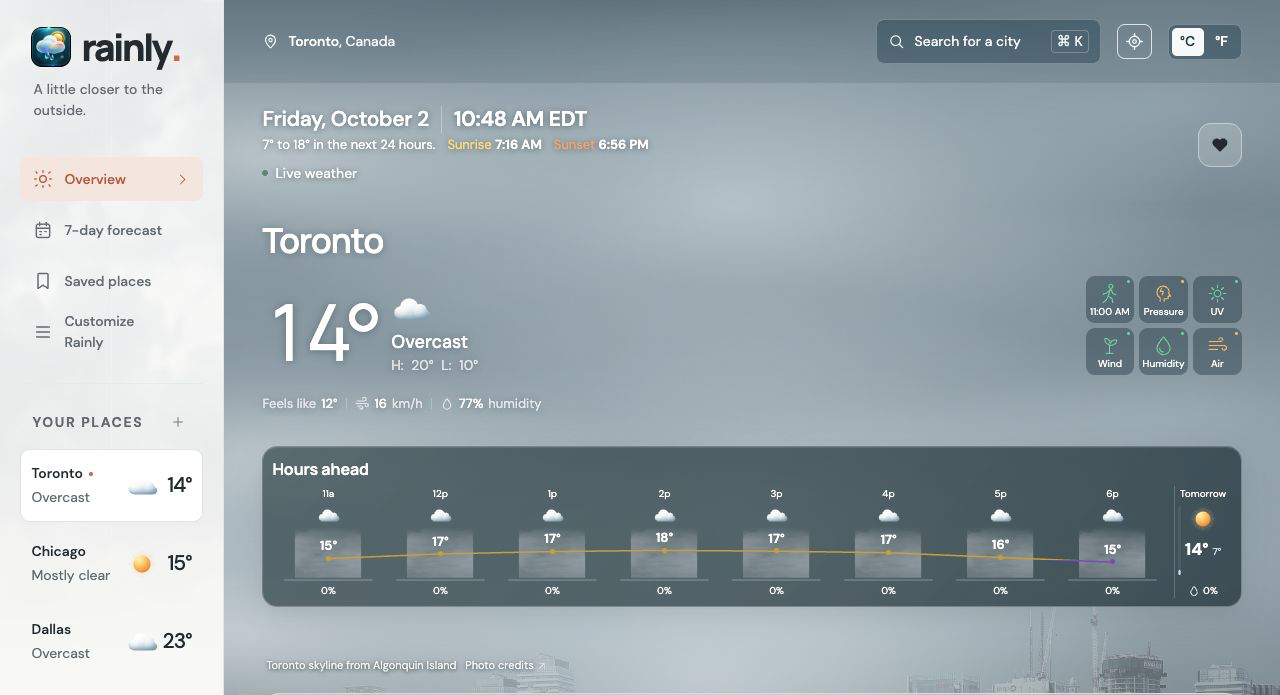
Keep Rainly close while you work. See Toronto’s temperature first, with Hours ahead underneath, then explore the week or your saved places.
The whole day, at a glance.
Current temperature, conditions and the next eight hours. Cloud coverage sits behind each temperature, with the coloured line tracing the change through the day.
The location photograph comes to life with subtle forecast-driven cloud, sun, rain, snow, wind and lightning effects. Widgets keep a still version of the weather scene.
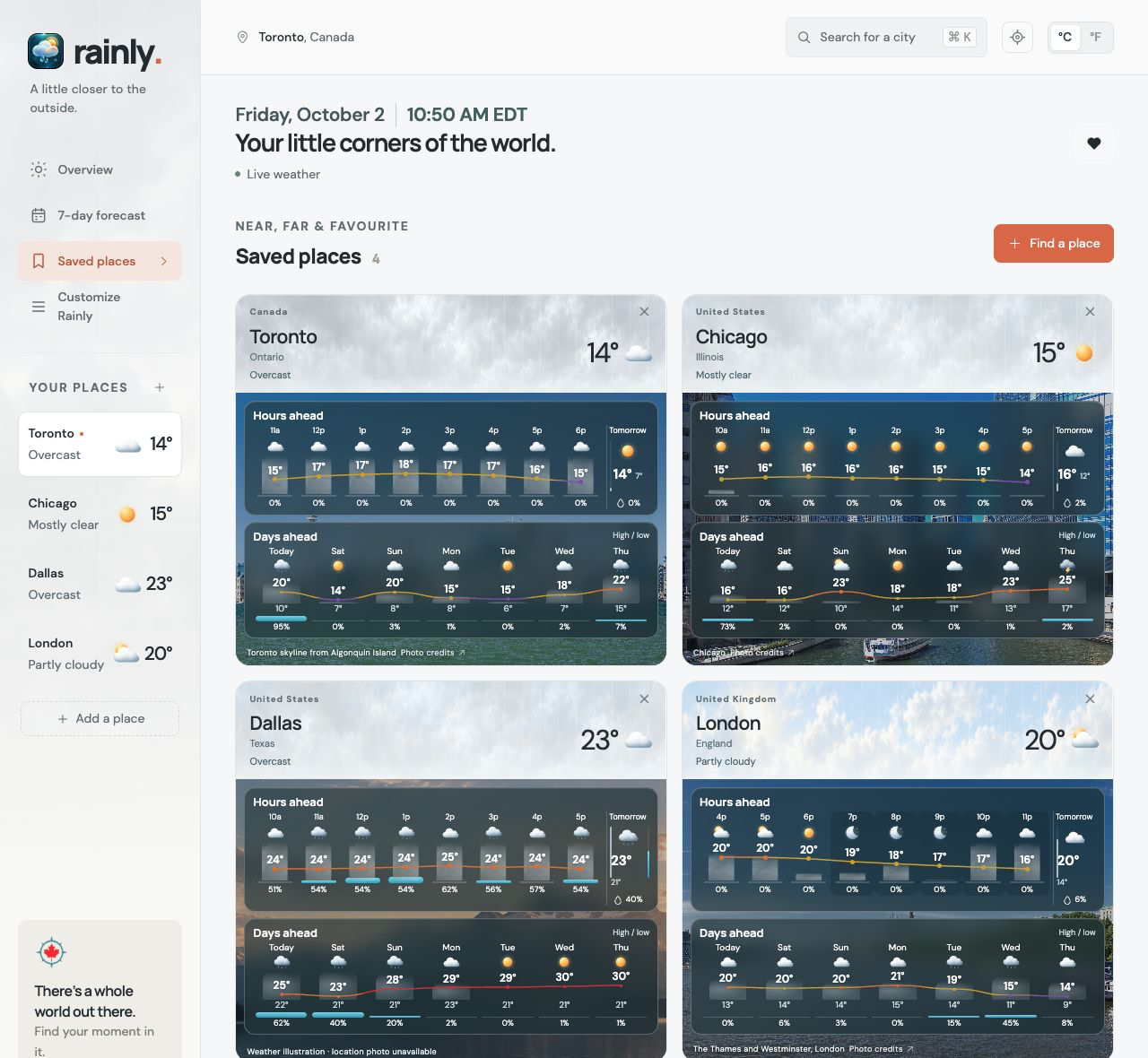
Four places. One easy view.
Toronto, Chicago, Dallas and London, together. Every location has its own sky colour, current conditions, Hours ahead and Days ahead.
On Mac, the hourly forecast sits above the daily forecast in each location card.
See when the weather changes.
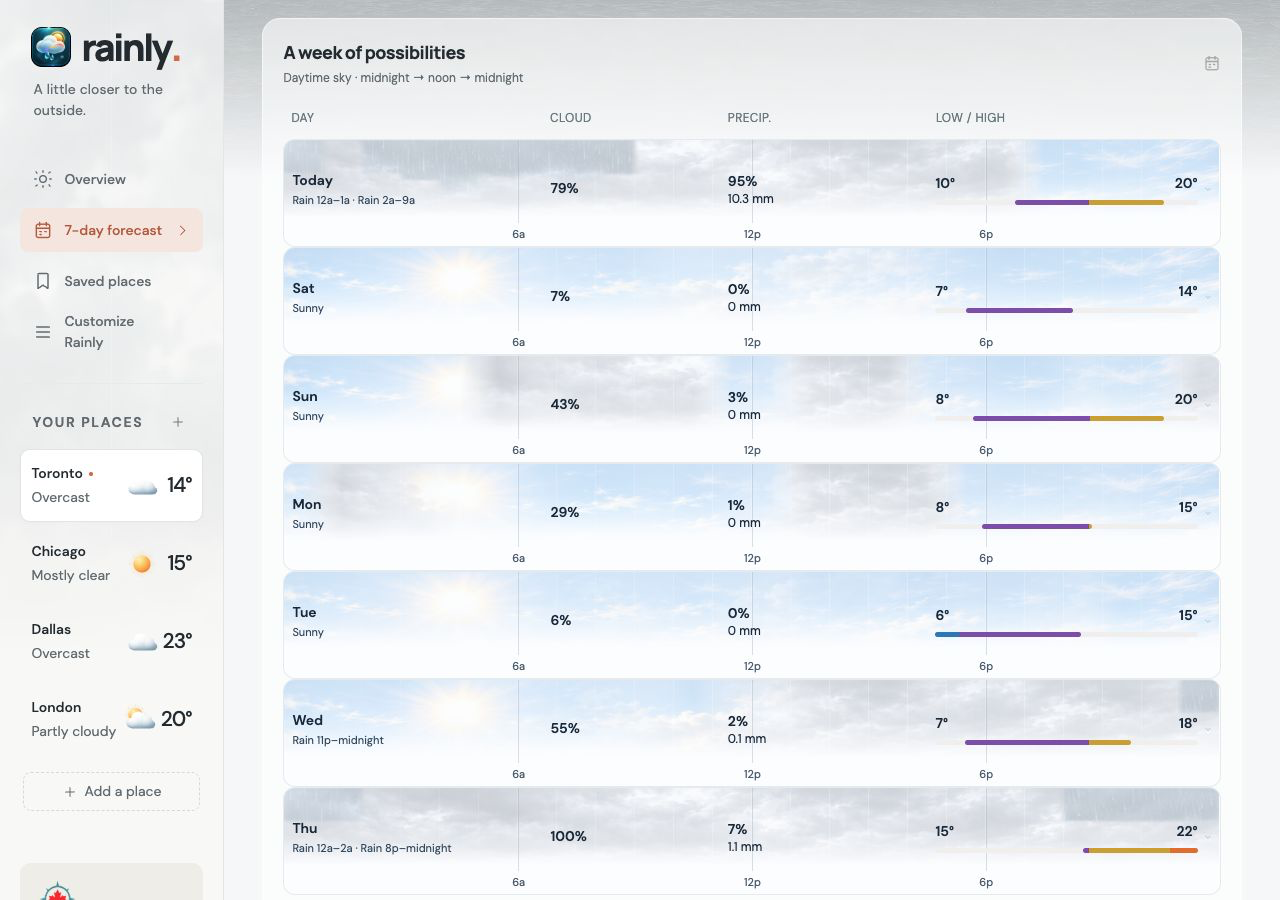
Read each day from midnight to midnight. The sky background follows the latest available hourly forecast: lighter or darker cloud, sunshine, rain, snow and storm conditions appear at the time they are expected.
Markers at 6a, 12p and 6p help you read the timing. Cloud percentage, precipitation amount and the coloured low-to-high temperature line keep the details clear.
The weekly sky is a forecast graphic. Animated effects appear in the main location background; the seven-day graphic and widgets remain still.
Your hours. Your days. Your teams.
Hourly and daily widgets share Rainly’s cloud cover, coloured temperature line and weather scene. Pick up to two favourite sports teams: logos appear on game day, with today’s game time in Hours ahead.
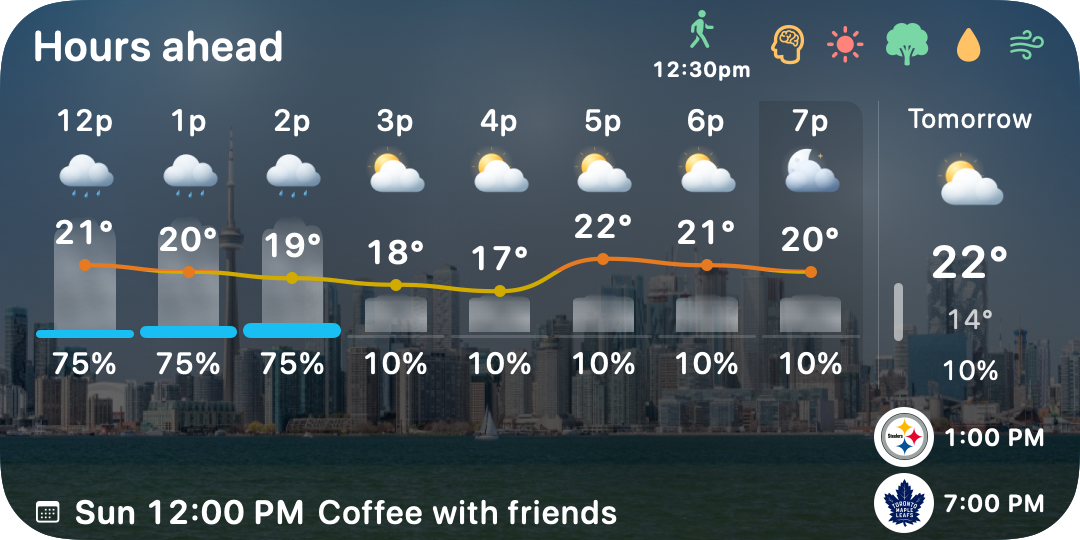
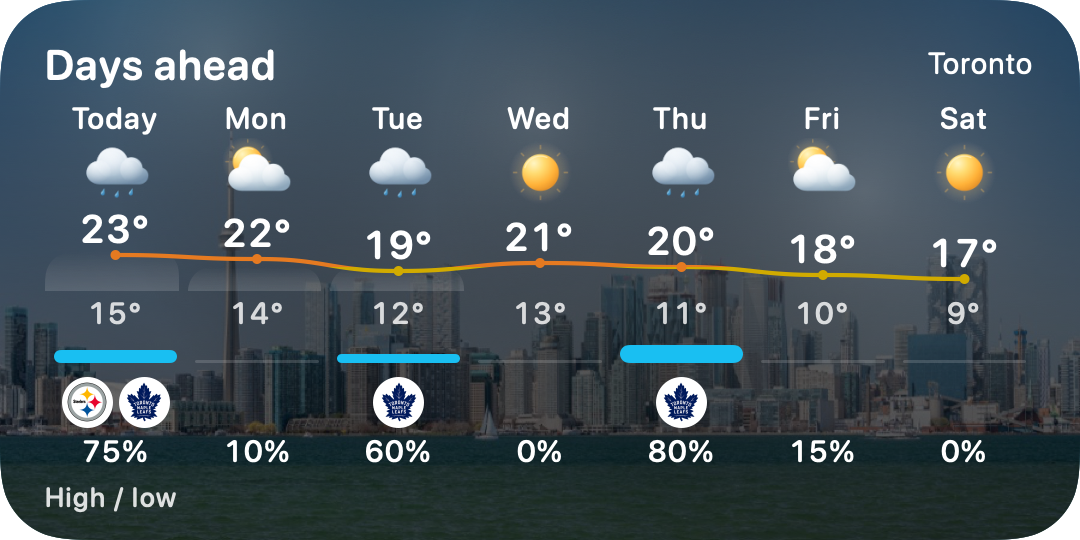
Native widget views shown with illustrative weather, meeting and game fixtures. Logos mark sample game days, not a verified live schedule.
Make room for the outside.
Choose the calendars you want Rainly to read. Best times to get outside combines the forecast with your availability, so a good weather window can fit around your meetings.
Ask us about RainlyApp screens captured from the current Rainly interface using Open-Meteo forecasts retrieved on 2 October 2026. Conditions change with the place, time and provider. These previews show the iPhone layout and Mac layout; final App Store screenshots will be captured on devices.
Be a Rainly beta tester.
Try an early version and tell us what works—and what could be better. Rainly’s iPhone and iPad beta is distributed through Apple’s TestFlight. Ask us about Mac beta availability too.
- Email us your device and operating system version.
- When a suitable build and tester space are available, we’ll send an invitation.
- Install TestFlight, accept your invitation, and share feedback from TestFlight.
This opens an email draft to rainlyapp@gmail.com. You choose whether to send it. A request does not automatically enrol you or guarantee an invitation. Beta builds may contain bugs, lose settings or expire; Apple’s TestFlight terms and the Rainly privacy policy apply. Please don’t include calendar titles, passwords or sensitive information.